
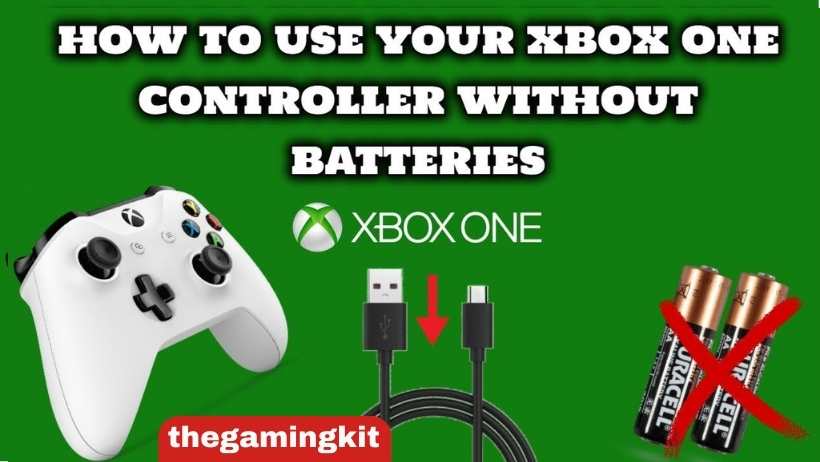
Quick answer: You can use a standard Xbox One controller without batteries by connecting it to your Xbox console or Windows PC with a compatible micro-USB data cable. This supplies power for wired play; it does not charge an empty battery compartment or the AA cells inside it. Xbox Series X|S controllers use USB-C instead. To recharge a controller battery, you need a compatible rechargeable pack and its specified charging method. Disposable AA batteries must never be recharged.
- Plug the Xbox One controller into the console via the provided micro-USB cable
- The USB cable supplies power for wired play; it does not charge AA batteries
- Press the Xbox button and test the controller in a game or controller settings
- If the controller does not connect, try another data-capable USB cable and USB port
- For later wireless use, install suitable batteries or a rechargeable pack
Can Xbox Controller Charge Without Batteries?
A controller with no battery installed has nothing to recharge, but it can still work through a wired USB connection. Wireless use requires batteries or a compatible rechargeable pack. The distinction matters: USB power lets you continue playing now, while charging stores energy in a rechargeable battery for later wireless play. Standard Xbox One controllers do not recharge AA cells through their USB port, including rechargeable AA cells. Recharge those separately with a charger designed for their battery chemistry. An Elite Series 2 has an internal rechargeable battery and is a different design.
Can I Charge the Xbox One Controller With a Phone Charger?
A phone adapter is not a universal controller-charging solution. Whether it can recharge a pack depends on that pack and its instructions. A standard controller with disposable AA cells will not charge them through USB. For wired gameplay, connect a data-capable cable to the Xbox console or PC rather than a wall adapter: the adapter cannot carry controller input to the game. Choose the correct connector, inspect the cable for damage, and follow the battery manufacturer’s approved power-source requirements. Do not use improvised wiring or force a connector into the port.
Can I Use an Xbox One Controller Without Batteries?
Yes, you can use an Xbox One controller without batteries. However, you will need to connect it to the console via a micro USB cable. Once connected, the controller will draw power from the console and will not require batteries.
Can I Charge the Xbox One Controller With Usb?
USB can power a standard Xbox One controller, but charging depends on the installed battery. With no battery or ordinary AA cells, connecting the cable enables wired use without recharging those cells. A compatible Play & Charge-style pack may charge through the controller; a third-party pack may require its own dock or separate charging port instead. Check the exact pack before buying a cable or charging station.
A dock also needs its matching rechargeable pack, battery cover, and electrical contacts. Putting a controller containing ordinary AA cells onto a dock does not make those cells rechargeable. Use the pack and instructions supplied for the dock.
For wired play, connect the micro-USB end to a standard Xbox One controller and the other end to a USB port on the console or Windows PC. Use USB-C for an Xbox Series X|S controller. A secure connection and a working data cable are more useful checks than waiting for an assumed charging light.
Read More: Can You Charge Nintendo Switch With Macbook Charger?
How to Charge Xbox One Controller With Phone Charger?
Before using a phone adapter, remove the battery cover and identify what is installed. If you see disposable AA batteries, replace them when depleted; do not attempt to recharge them. If you use rechargeable AA batteries, remove them and charge them with the matching external AA charger. A USB cable attached to the controller does not replace that charger.
If you have a rechargeable battery pack, read its label and manufacturer instructions. Some packs use the controller’s USB port, some have a charging connector on the pack, and others use proprietary docking contacts. The cable and power source must match that charging system.
If your immediate goal is to play without batteries, skip the wall adapter and connect a compatible USB data cable directly to your console or PC. This avoids buying an unnecessary charger. Stop using any pack that is swollen, leaking, damaged, or unusually hot, and follow its manufacturer’s handling guidance.
How to Charge Xbox One Controller With Micro USB?
For a standard Xbox One controller, a micro-USB cable can provide wired power and data. Start by checking the port on top of the controller. The micro-USB connector is different from the USB-C connector found on newer Xbox Series X|S controllers, so the cables are not interchangeable at the controller end.
Connect the controller to the console or PC with a data-capable cable, turn on the console or PC, and test the buttons in a game or supported controller settings screen. If it fails to connect, try another known-working USB port and cable before assuming the controller is faulty. A cable that only supplies power may not carry gameplay input.
If a compatible rechargeable pack is installed, follow that pack’s instructions to determine whether it charges through this connection. Do not assume the Xbox button light indicates battery charge completion. Ordinary AA batteries will not recharge this way. For an empty battery compartment, the result is wired gameplay only; the controller will need batteries again when you disconnect the cable and want wireless use.
How to Charge Xbox Series X Controller?
The standard Xbox Wireless Controller supplied for Xbox Series X|S uses a USB-C port. For wired play without AA batteries, connect a compatible USB-C data cable to the controller and an appropriate USB port on the Xbox console or Windows PC. The controller’s compatibility with an Xbox One console does not change the connector on the controller itself.
For rechargeable wireless use, choose a battery pack expressly compatible with your controller. Microsoft’s Xbox Rechargeable Battery + USB-C Cable is specified for Xbox Wireless Controllers with a USB-C port. Its official product page says it can recharge while playing or afterwards. This does not mean disposable or rechargeable AA cells can be charged inside a standard controller.
Charging indicators and charge time depend on the battery system. Follow the instructions for your specific pack or dock rather than relying on a universal orange-to-green light rule. Elite Series 2 controllers have an internal rechargeable battery, so treat them separately from standard removable-AA models.
Read More: How to Connect Wired Controller to Switch?
Conclusion
To play with a standard Xbox One controller without batteries, connect a compatible micro-USB data cable to your Xbox console or Windows PC. Use USB-C for an Xbox Series X|S controller. This is wired power and gameplay, not battery charging. For wireless use, install suitable AA batteries or a compatible rechargeable pack. Choose the charging method specified for that pack, and never try to recharge disposable AA cells. Check your controller’s port and battery type before buying accessories.
Check Compatibility Before Buying
For wired use, first try a suitable cable you already own. Buy a replacement only if the connector or cable is damaged, missing, or cannot carry data. For wireless play, compare rechargeable AA batteries with their external charger against a controller-specific rechargeable pack. A dock must match the pack and cover, not just the console name printed on a listing. See Microsoft’s USB-C rechargeable pack compatibility and Xbox’s USB controller connection instructions before choosing an accessory.
1 thought on “How to Charge Xbox One Controller Without Batteries?”
Comments are closed.