
Affiliate disclosure: As an Amazon Associate, we earn from qualifying purchases. We may also earn a commission through Walmart links, at no extra cost to you.
Pay for the controls you will actually use
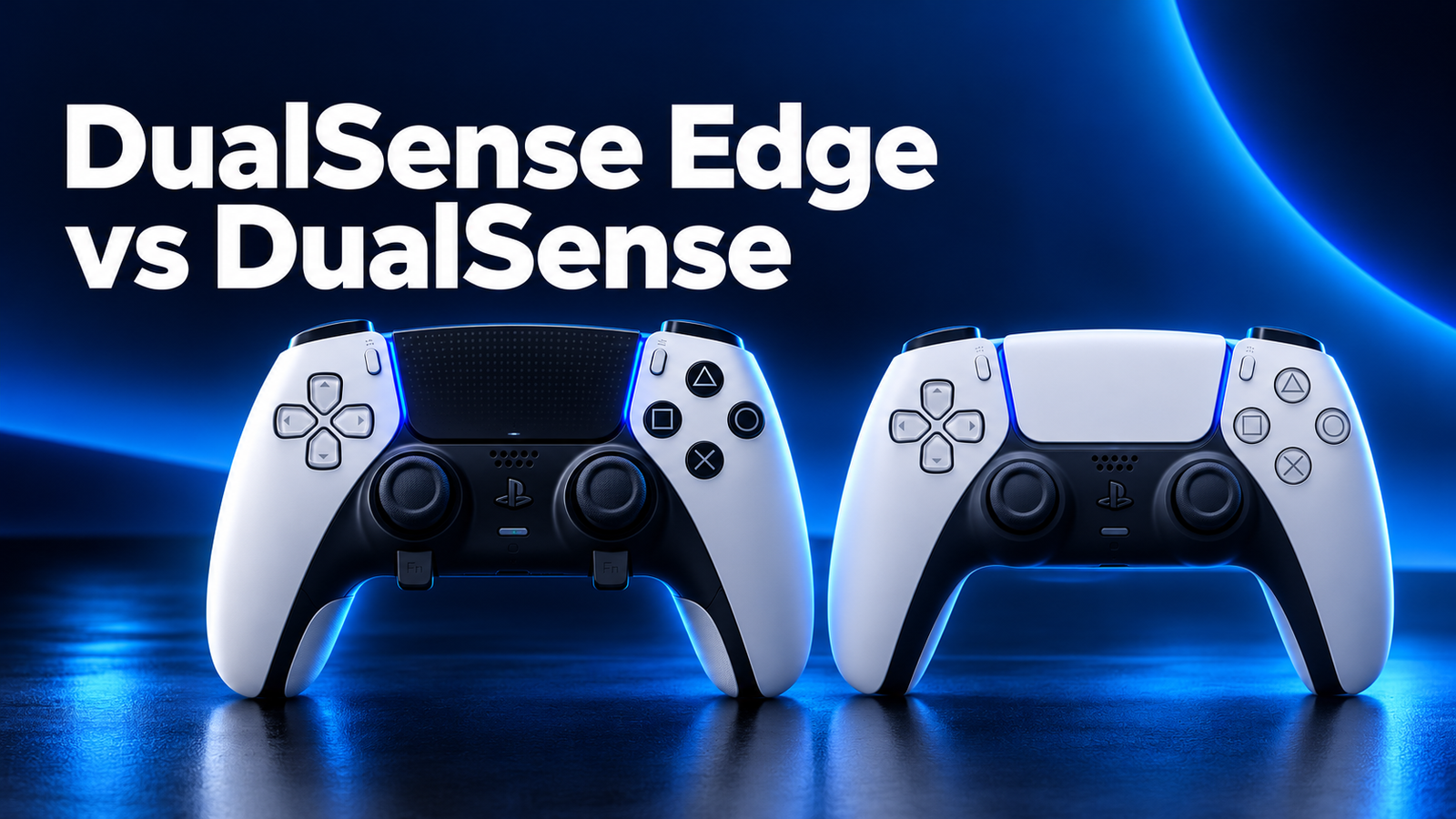
DualSense Edge vs DualSense: choose the standard DualSense for everyday PS5 play and a second controller. Consider the Edge when two rear buttons, adjustable triggers and saved control profiles solve a specific problem in your usual games.
Checked October 28, 2026. This is a researched buying guide, not a hands-on review. Images are AI-generated editorial illustrations; use the official product pages and retailer listing to inspect exact hardware and package contents.
Quick verdict: which controller fits your play?
Choose standard DualSense
You want familiar PS5 controls, a spare for local multiplayer, or a replacement without paying for customization you may never use. Start here when your current layout already feels comfortable.
Consider DualSense Edge
You can name two actions you want on rear buttons, regularly switch layouts between games, and want user-replaceable stick modules. Check the complete package and replacement-module availability before ordering.
The useful question is what changes during a normal session. If your thumb often leaves the right stick to jump or dodge, a rear-button assignment may be useful. If you mostly play slower adventures, strategy games or relaxed building games, the standard controller may already meet your needs. Neither purchase guarantees better aim, faster reactions or more wins.
DualSense Edge vs DualSense: key differences
| Buying detail | Standard DualSense | DualSense Edge |
|---|---|---|
| PS5 gameplay | Yes | Yes |
| Haptics and adaptive triggers | In supported games | In supported games |
| Built-in rear buttons | No | Two usable rear-button positions |
| Physical trigger-stop adjustment | No | Yes |
| User-replaceable stick modules | No equivalent quick-swap system | Yes; spare modules sold separately |
| Custom profiles in PlayStation Accessories | Firmware updates only | Firmware updates and customization |
| Included case and braided cable | Not part of the standard controller package | Included in the official complete package |
The Edge adds control options rather than a new class of PS5 games. Sony’s standard DualSense overview and official Edge package listing explain the core features and included hardware.
Back buttons: a practical reason to upgrade
The Edge gives you two rear inputs, with two included styles of detachable back buttons. Those styles are alternative shapes for the same two positions, not four independent rear inputs. A sensible starting layout is one common movement action on one side and another frequently used face-button action on the other.
Try one assignment at a time. Practice in a low-pressure mode until you stop pressing it by accident, then decide whether a second assignment helps. A controller with more settings can become frustrating if you change every button, sensitivity option and trigger setting together. Keep a note of your original layout so you can return to something familiar.
For players who already own an Xbox or also play on PC, our Xbox Elite Series 2 buying guide offers another way to think about premium controls and included accessories. Check compatibility before treating the two products as interchangeable.
Trigger stops and profiles: match the game
Shorter trigger travel can suit an action that only needs an on/off press. A longer stroke can be useful when gradual input matters. Avoid choosing the shortest setting for every game simply because the controller provides it. Your preferred driving, aiming and movement controls may require different choices.
Build a small number of memorable profiles. Name them after a game or purpose, keep one close to the default, and change a single setting between practice sessions. If your new profile feels worse, restore the last comfortable one before experimenting again. The aim is a repeatable layout you understand.
Replaceable sticks: useful, with limits
The Edge lets you remove a stick module and install a replacement using Sony’s documented release mechanism. Replacement modules are separate purchases, and the left and right modules are interchangeable. This is a specific service option for a stick problem; it does not make every part of the controller user-replaceable.
Do not confuse a stick cap with a complete module. Caps change the surface your thumb touches. A module contains the stick assembly. A listing that includes spare caps is not automatically supplying spare modules. Check the box contents line by line if repair flexibility is a major reason for your purchase.
Before paying extra for that flexibility, look for genuine replacement-module availability in your region and compare its delivered cost. Sony’s stick replacement instructions and replacement-module listing are the references. Replaceable modules are not a promise that stick drift cannot occur.
What should come in the Edge package?
Sony lists the controller, braided USB cable with connector housing, carrying case, standard stick caps plus high- and low-dome alternatives, and both lever and half-dome rear-button sets. Extra replacement stick modules are not listed as included. Retailer bundles, used offers and incomplete returns can have different contents.
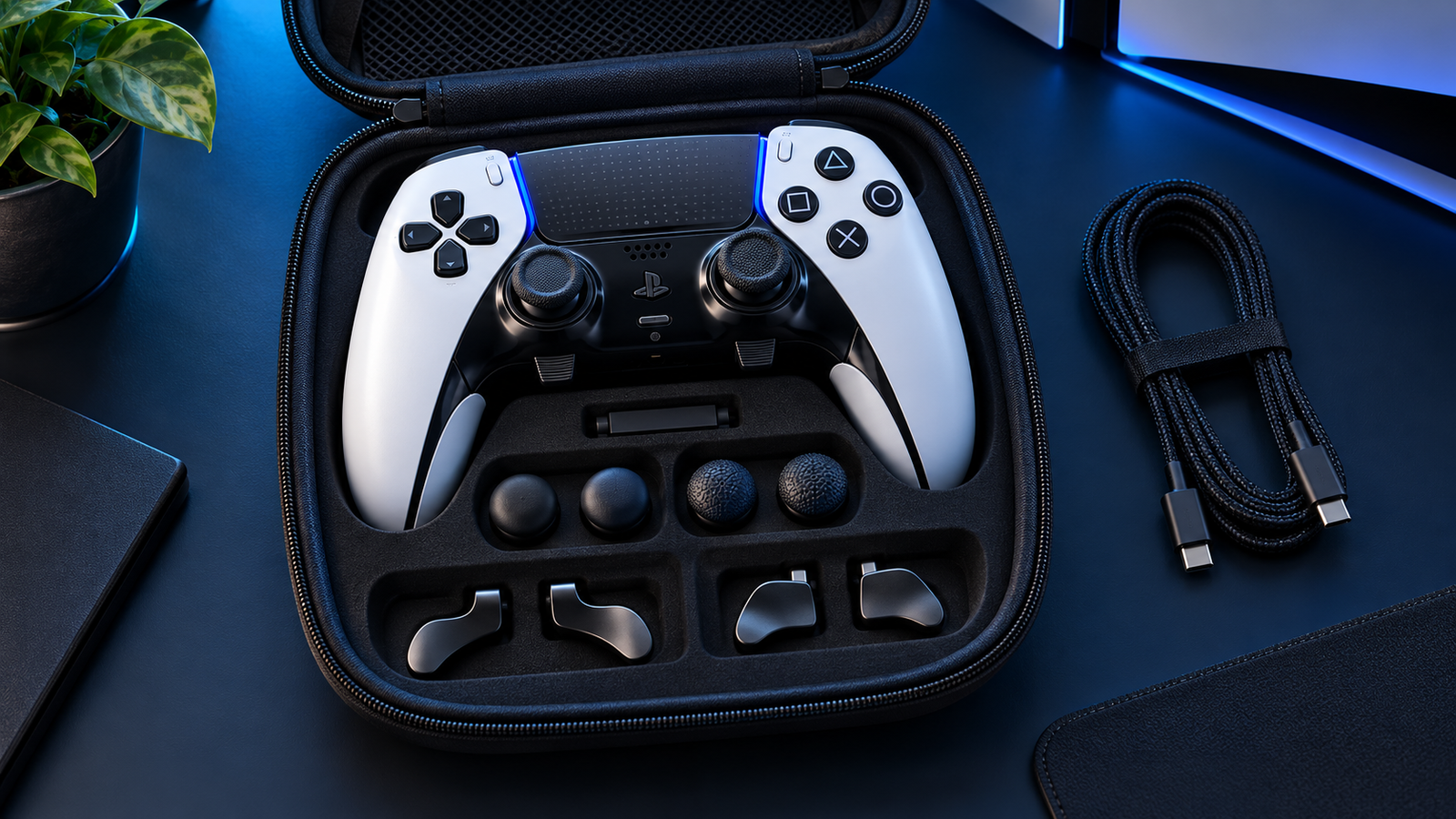
For a gift, favor a clearly described complete package over a vague controller-only listing. For a used controller, ask whether every detachable part is present and whether charging and all inputs have been tested. A low headline price can lose its appeal when missing parts must be bought separately.
PS5 and PC compatibility checks
Both models are PS5 controllers. On computers and mobile devices, connection support and feature support are separate questions. A game accepting button inputs does not establish that its haptics, adaptive triggers, audio or motion features will all work through your chosen connection.
Sony says the Edge can connect to supported devices through USB or Bluetooth. Some advanced features depend on the game and device; haptic feedback may require USB on PC. Check the official device compatibility and feature limitations against the machine you actually use.
Before upgrading a PC setup, test your current controller in your most-played games. Record whether the game detects it, whether the displayed button prompts are useful, and whether the intended connection remains stable at your normal seating position. This gives you a clearer shopping requirement than a generic compatibility badge.
Amazon vs Walmart: compare the same Edge offer
The links below target the white DualSense Edge. Amazon opens search results; Walmart targets listing 1707140316. Confirm the selected product, condition and included case before comparing totals. Search results may include standard DualSense controllers, accessories or renewed units.
| Check | Amazon | Walmart |
|---|---|---|
| Target | White DualSense Edge search | White DualSense Edge listing |
| Comparable current price | Verify selected offer at checkout | Verify selected offer at checkout |
| Condition | Match new, used or renewed | Match new, used or restored |
| Seller and returns | Check the exact seller | Check the exact seller |
| Cheapest verified store | Undetermined; equivalent live checkout totals were not independently confirmed | |
Use your U.S. delivery location, then compare item price, shipping, applicable tax and any discount for which you qualify. A marketplace listing may have a third-party seller even when the retailer handles delivery. Read the return instructions for that specific offer and distinguish them from a manufacturer’s warranty.
Do the standard-versus-Edge decision first. Finding a lower Edge price does not mean it is better value than a standard DualSense for your use. Likewise, buying two standard controllers can make more sense for a household that wants local multiplayer than buying one premium controller for a single player.
Who should keep the standard DualSense?
- Your current controller works well: identify a real control problem before replacing it.
- You need player two: prioritize the number of working controllers your household needs.
- You mainly want a different look: compare standard colors and editions without assuming they add Edge controls.
- You dislike setup work: profiles are most valuable when you will spend time configuring and practicing them.
For Minecraft players, an expensive controller is not the first step toward comfortable movement. Review your current control settings and our Minecraft sensitivity guide before spending money on new hardware.
First-day checks before the return window closes
- Compare the delivered model, color and accessories with your order.
- Follow Sony’s setup instructions and install applicable controller updates.
- Test both sticks, the D-pad, face buttons, bumpers and triggers in a familiar game.
- For the Edge, test each rear-button position and save one simple profile.
- Check charging and your normal wired or wireless connection.
- Keep packaging and document any issue promptly for the seller or official support.
We have not measured battery runtime, input latency or long-term durability for these units. Plan how you will charge during your normal sessions, and avoid treating an unverified runtime claim as a purchasing guarantee. If uninterrupted wireless sessions are your priority, look for a clearly documented test that matches your features and settings.
Frequently asked questions
Is DualSense Edge worth it for casual gaming?
Usually the standard DualSense is the more sensible starting point. The Edge becomes easier to justify when you will use rear buttons or specific saved layouts regularly.
Does Edge have four back buttons?
No. It has two rear-button positions. The two included pairs are alternative button shapes, not four simultaneous rear inputs.
Are replacement stick modules included?
No. The official complete package includes different stick caps. Additional complete stick modules are sold separately.
Can I configure Edge on PC without a PS5?
Yes. Sony supports creating and editing Edge profiles through PlayStation Accessories on supported Windows PCs. Check the app requirements and your game’s feature support.
Do I need Edge for haptic feedback?
No. Standard DualSense already offers haptic feedback and adaptive triggers in supported games. Edge adds customization on top of those core features.
Which store is cheaper today?
We have not confirmed equivalent live checkout totals at both stores. Open the links, match model and condition, and compare the final delivered cost.
Our recommendation
Buy standard DualSense for a straightforward replacement or a second PS5 controller. Choose Edge when its two rear inputs, profiles and replaceable stick modules are features you can explain how you will use. Then compare complete, equivalent offers at both stores.