
Affiliate disclosure: As an Amazon Associate, we earn from qualifying purchases. We may also earn from Walmart links, at no extra cost to you.
PREMIUM XBOX & PC BUYING GUIDE
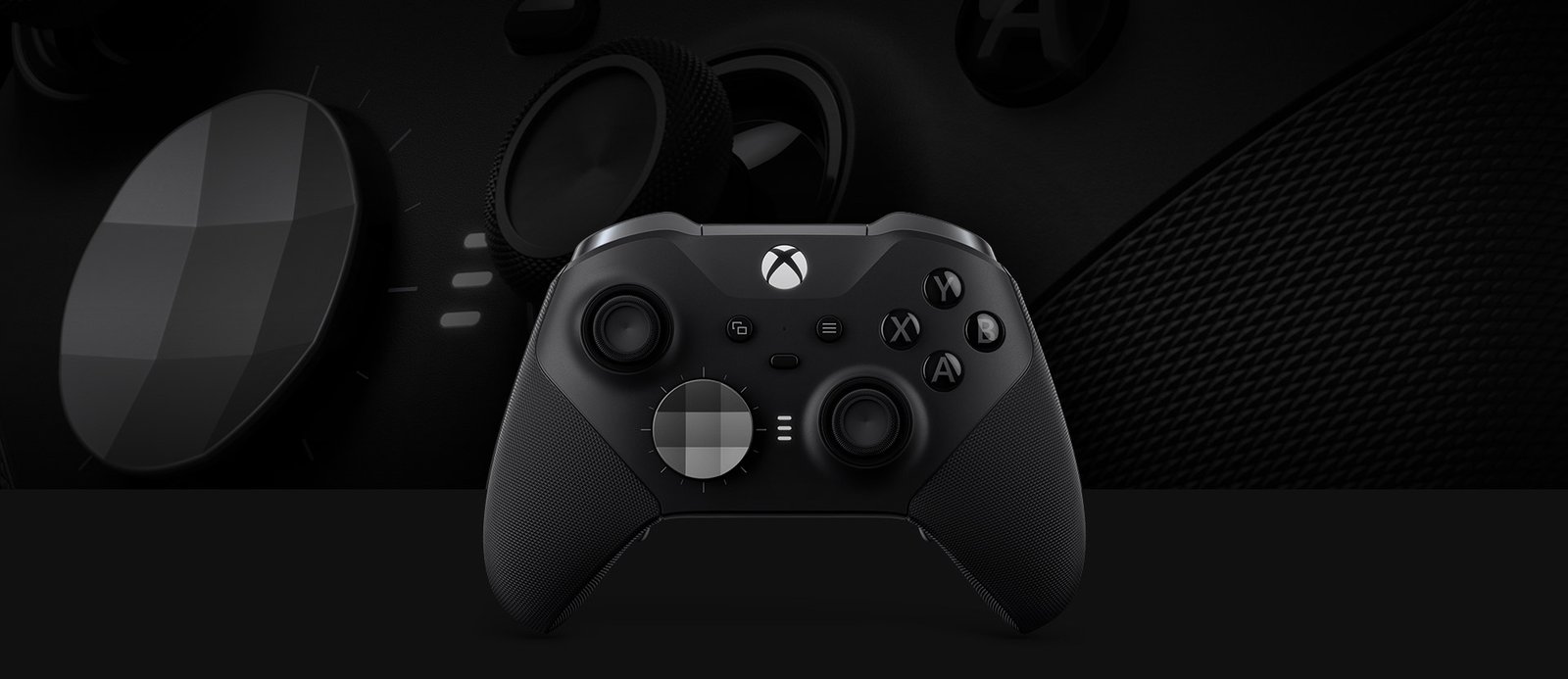
Xbox Elite Series 2: buy it for controls you will actually use
The Xbox Elite Series 2 full bundle makes the most sense if you want rear paddles and the included accessories from day one. Choose Core only after checking what is missing and calculating the cost of the extras you need.
Amazon opens a product search so you can compare current offers. Walmart opens the identified black Series 2 listing. Confirm the selected package before ordering.
Updated October 28, 2026. This is a researched buying guide, not a hands-on review. Product details are checked against Xbox and Microsoft documentation. Retail prices and availability change; no cheapest-store winner is claimed.
Quick verdict: who should buy it?
Consider the full bundle
You play regularly, already know which actions you want on paddles, and want the case and charging dock. Buying the accessories together may simplify your setup.
Keep your standard controller
Your current controller works well and your main goal is casual play. An expensive replacement deserves a specific reason; a premium label alone is not a useful upgrade plan.
Start by naming the problem you want to solve. Do you remove a thumb from the stick to press a face button? Do you want different layouts for different games? Are you buying because your existing controller is broken, or because you want more customization? Those answers help you decide whether to pay for Elite features or simply replace a standard model.
Elite Series 2 vs Core: compare the package
Microsoft describes Core as the essential controller package. It includes the controller with its fitted sticks and D-pad, a USB-C cable and the tension-adjustment tool. The full black Series 2 package adds four paddles, extra stick options, an additional D-pad, a charging dock and a carrying case. The Complete Component Pack is sold separately for Core buyers.
| Buying detail | Full Series 2 bundle | Series 2 Core |
|---|---|---|
| Adjustable stick tension | Yes | Yes |
| Rechargeable internal battery | Yes | Yes |
| Rear paddles in standard package | Four | Not included |
| Dock and carrying case | Included | Not included |
| Best buying question | Will I use the bundled extras? | Will accessories erase my saving? |
Xbox’s official Series 2 specifications and package comparison are the reference for the full bundle. Microsoft’s Core listing explains its included components. Retailer-created bundles can differ.
What the premium controls offer
Xbox lists adjustable-tension thumbsticks, shorter trigger-lock settings, interchangeable components and button mapping through the Xbox Accessories app. You can store three custom profiles plus the default profile. Microsoft advertises up to 40 hours from the internal rechargeable battery; actual runtime varies.
Treat those features as tools for building a comfortable layout. They do not establish that you will aim better or win more matches. A useful first experiment is mapping one frequently used action, practicing until the position feels familiar, and then deciding whether to add another. Changing every control at once makes it harder to identify what helps.
Keep a simple record of your changes. If a new setup feels worse, return to the previous layout instead of changing sensitivity, button assignments and trigger behavior together. Familiar controls can be more valuable than a complicated configuration you cannot remember.
Compatibility: check your actual setup
The controller supports Xbox Series X|S, Xbox One and supported Windows PCs. Windows 10/11 connections can use Bluetooth, USB or a separately sold Xbox Wireless adapter. Xbox Accessories configuration is available on supported Xbox consoles and Windows 10/11. Mobile and Bluetooth functionality can be limited; consult Xbox’s compatibility guidance for your device.
For a desk, decide whether a cable reaches comfortably before buying a wireless adapter. For couch play, confirm your existing connection works at your normal seating distance. If you use a headset, verify audio support for the connection method you plan to use rather than assuming every feature works identically over every connection.
This is an Xbox-family controller purchase. Do not order it for a PlayStation or Nintendo setup on the assumption that a premium controller connects to every console. Check native compatibility and any additional hardware requirements before paying.
Amazon vs Walmart: how to choose the offer
| Check before buying | Amazon | Walmart |
|---|---|---|
| Link destination | Search results for black Elite Series 2 | Black Series 2 listing, ID 784834522 |
| Current comparable checkout total | Check selected offer | Check selected offer |
| Condition | Confirm new, renewed or used | Confirm new, restored or used |
| Seller and returns | Read exact seller terms | Read exact seller terms |
| Verified cheapest store | Undetermined; compare equivalent packages at checkout | |
Open both stores and select your U.S. delivery location. Confirm that both offers are the full black Series 2 bundle if that is what you want. Compare shipping, tax and eligible discounts, then check the seller and return route. A search result or color selector can surface Core, renewed units or alternative packages alongside the product you intended to buy.
A lower controller-only price is not a saving when you need to buy the missing accessories immediately. Conversely, a full bundle can be unnecessary spending if you already own compatible components. Put each item you need in the comparison instead of comparing only the largest price on the page.
Reasons to pause before spending more
- No clear use for paddles: try identifying two actions you would move before paying for the complete package.
- Only a battery problem: diagnose your existing controller and power arrangement before replacing everything.
- Unclear condition: used and refurbished offers require their own assessment of included items and support.
- Uncomfortable fit: a return option matters because specifications cannot tell you how a controller feels in your hands.
If price is the priority, compare the standard Xbox Wireless Controller buying guide. If your existing standard controller only needs a power solution, see our Xbox rechargeable battery comparison. That battery accessory is a separate product; the Elite Series 2 already has an internal rechargeable battery.
First-day setup and acceptance checks
- Keep the packaging and compare the delivered accessories against the listing.
- Connect to your intended console or PC and follow the official setup prompts.
- Test every face button, bumper, trigger, stick and D-pad direction.
- Test any included paddles and save a simple profile.
- Check charging and the connection you expect to use during normal play.
Do these checks while the return window is still open. If there is an issue, record the symptom and use the seller’s order support or Microsoft’s support channel. Avoid taking the controller apart before checking your support options. A return policy, manufacturer warranty and optional protection plan are different arrangements; read the terms for the exact offer.
Frequently asked questions
Does Core include rear paddles?
No. The standard Core package does not include rear paddles. Check whether the retailer has added a component pack rather than assuming it comes with one.
Do I need a separate battery pack?
No. Elite Series 2 uses an internal rechargeable battery. Do not add a standard Xbox controller battery pack to the cart for this model.
Is the Elite Series 2 worth it for Minecraft?
It can make sense if you prefer controller play and will use a customized layout. For relaxed building, start by adjusting your existing controls. Our Minecraft sensitivity guide is a useful starting point before purchasing new hardware.
Will it make me a better competitive player?
A different layout may suit your habits, but we have not tested a competitive-performance improvement. Buy for specific controls and comfort requirements, with realistic expectations.
Choose the package, then compare the total
For paddles, a case and a dock from the start, compare the full black Series 2 bundle. If you only need the controller, check Core and keep the accessory cost separate. Match condition and seller before choosing a store.
Sources: Xbox Series 2 product specifications and Microsoft Store Core documentation, checked October 28, 2026. Buying recommendations reflect our assessment of package contents and purchasing tradeoffs. No hands-on testing, durability score or guaranteed performance gain is claimed.